


Get more out of every filament.
With tailored services, advice and smart solutions, you can get more out of every print.
Individual solution
Bring your ideas to life with custom-made filament – from bespoke colors and precise diameters to unique material blends. Simply fill out the inquiry form and our Bavaria Filament team will assess the technical feasibility and develop a solution tailored to your production requirements.
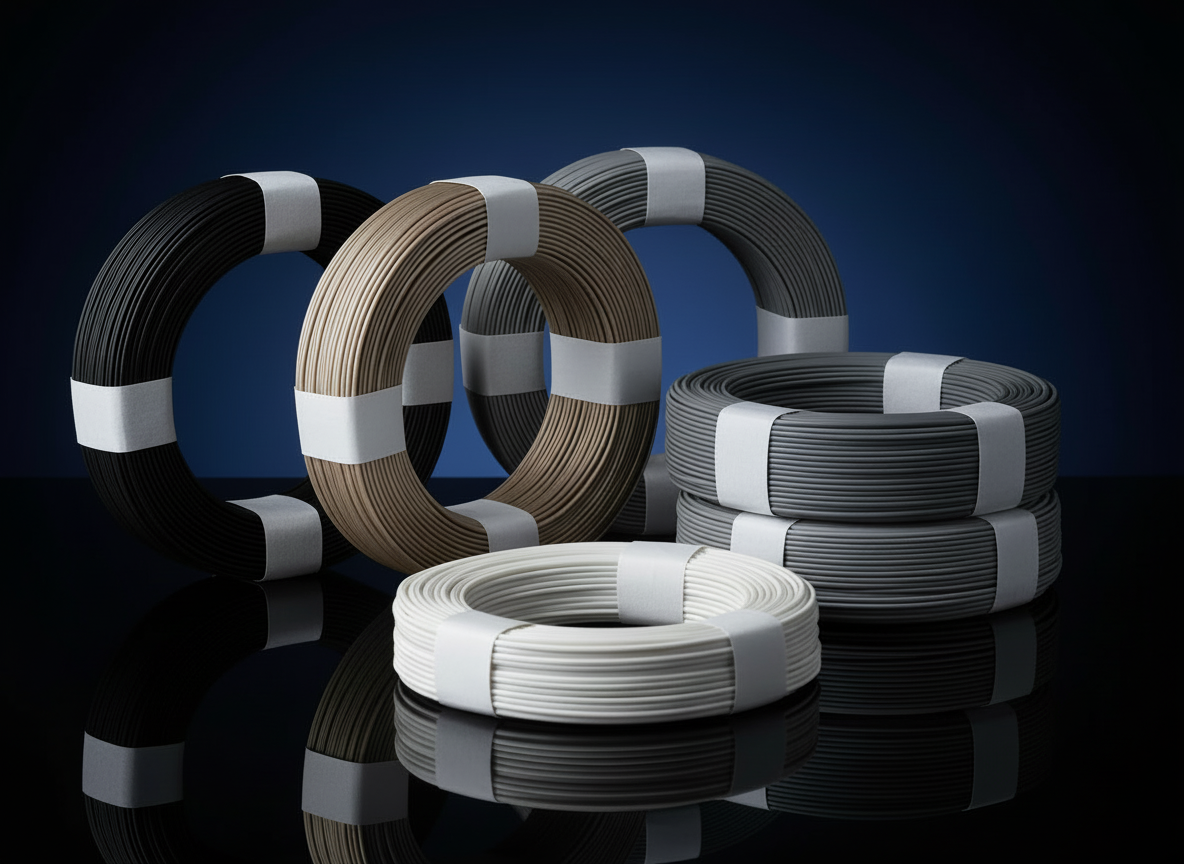
Think sustainably with coil refills
With our refill option, you receive filament without a spool – same quality, significantly less waste. Continue using your existing spool and make a direct contribution to reducing plastic. A simple step towards a smaller environmental footprint, less material usage, and uncompromising print quality.
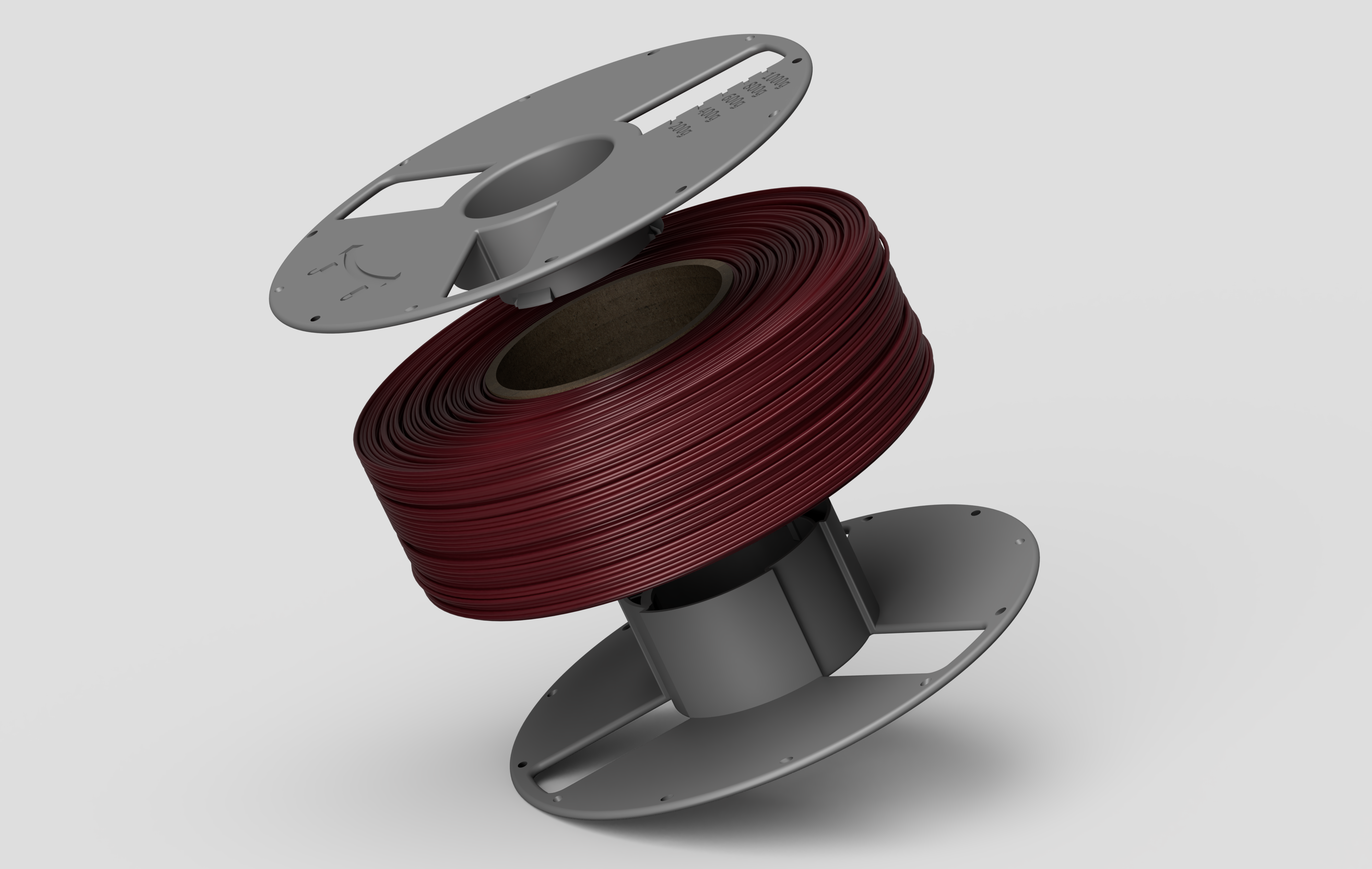
Multi Spool - Digitale 3D-Datei
Druck dir deine eigene Spule – und nutze sie immer wieder.
Du erhältst einen digitalen 3D-Dateidownload für eine nachfüllbare Filament-Spule, die du zuhause selbst drucken und für zukünftige Refills mehrfach verwenden kannst. Perfekt, wenn du Ordnung halten, Abfall reduzieren und ohne unnötige Einwegspulen weiterdrucken möchtest.
Das bekommst du
✅ Sofort-Download der 3D-Datei(en)
✅ Druckvorlage für eine nachfüllbare Spule
✅ Direkt bereit zum Slicen & Drucken
Company? Educational institution?
Are you ordering for a company or an educational institution? Perfect.
With a business account, you can easily order on account and manage your orders clearly. 👉 Please fill out the following form – we will contact you as soon as your account is set up.
Tipps & Tricks
Brauchen Sie Unterstützung? Starten Sie hier.
3D-Druck Filamente – Technische Hinweise & Druckrichtlinien
Beim 3D-Druck spielen neben dem Drucker vor allem die richtigen Materialeinstellungen eine entscheidende Rolle. Unterschiedliche Filamente wie PLA, PETG oder TPU erfordern angepasste Temperaturen, Kühlung und Handhabung, um zuverlässige Druckergebnisse zu erzielen.
Auf dieser Seite finden Sie praktische Hinweise zu typischen Druckparametern, Materialeigenschaften sowie zur richtigen Lagerung und Verarbeitung von 3D-Druck Filamenten. Die Empfehlungen basieren auf praktischer Erfahrung und dienen als Orientierung für stabile und reproduzierbare Druckprozesse.
1. Das Filament hat selbst oberflächliche Feuchtigkeit, was noch vom Herstellungsprozess kommen kann. Nach dem Extruder wird die Schmelze in der Regel in ein Wasserbad geführt um das Filament abzukühlen. Danach wird das Filament mittels Luftstrom oder im Wärmeofen getrocknet. Wenn dieser Prozess nicht ordnungsgemäß durchgeführt wurde, befindet sich noch Restfeuchtigkeit auf dem Filament. Das Silica, welches die Restfeuchte in der Vakuumverpackung entfernen soll hat sicherlich nicht die Kapazität diese Restfeuchtigkeit komplett aufzunehmen. Nach dem Öffnen der Vakuumverpackung und des anschließenden Druckens sieht man Blasenstrukturen oder eine raue Oberfläche am Druck-Teil.
2. Das Filament besteht aus einem Kunststoff, der Feuchtigkeit aus der Luft aufnimmt. Wenn die Filament Rolle länger offen liegt zeigt sich beim Drucken, dass zunehmend Feuchtigkeit die Oberfläche stört. Die Geschwindigkeit der Wasseraufnahme hängt von der Umgebungstemperatur und der relativen Luftfeuchtigkeit ab. Es gibt Kunststoffe, die sich sehr schnell mit Feuchtigkeit aus der Luft „voll saugen“, wie z.B. PA = Polyamid oder TPU/TPEE = Ester-Ether-Polymere, oder eben auch PET-G. Andere Kunststoffe wie PE = Polyethylen nehmen so gut wie gar kein Wasser auf. PLA, ABS, PC und ASA hingegen können über die Zeit auch Feuchtigkeit aus der Luft absorbieren und dann ein schlechtes Druckergebnis bringen.
Neben dem schlechten Druckbild kann sich auch die Haftung am Druckbett durch Feuchtigkeit im Filament reduzieren. Möglicherweise sind auch die mechanischen Eigenschaften des Kunststoffteiles geringer. Feuchtigkeit ist ein großer Störfaktor beim Drucken. Dabei ist nicht jeder Drucker gleich sensibel. Es gibt Düsen-Systeme die die Feuchtigkeit nach oben ableiten lassen (mehr oder weniger) und andere, die die enthaltene Feuchtigkeit komplett auf das Druckteil bringen.
Wenn man für die Lagerung der angebrochenen Filament-Rollen einen luftdicht verschlossenen Zipp Beutel benutzt, kann das helfen, das Problem zu reduzieren.
Besser ist es aber vor der Nutzung die Filament Rolle vorzutrocknen. Dazu kann auch ein normaler Backofen dienen. Ähnlich wie beim Pilze- oder Früchtetrocknen stellt man die niedrigste mögliche Temperatur ein, in der Regel 60°C. Man benutzt möglichst die Einstellung „Umluft“ und platziert die Rolle/n in die Mitte des Ofens. Die Ofentür lässt man dabei ca. 2-3cm offen (z.B. Kochlöffel dazwischen schieben). Wenn man nur die oberen Filament Reihen trocknen möchte, können schon 20 – 40 Minuten ausreichen. Will man die ganze Rolle trocknen kann das ca. 1-3 Stunden dauern.
Empfohlene Temperatur für PLA: höchstens 60°C. Für PETG und TPU möglichst 75°C. Ab 80°C kann es zum Erweichen der Spulenkörper kommen.
Man sollte den Vorgang kontrollieren, um sicher zu stellen, dass sich das Filament nicht verschweißt oder die Spule sich verformt (zu hohe Temperatur im Backofen).
Wenn Sie regelmäßig drucken oder teure Spezialfilamente verwenden, lohnt sich die Investition in ein dediziertes Trocknungsgerät. Diese Geräte sind exakt auf die Bedürfnisse des 3D-Drucks zugeschnitten. Auch ein Dörrgerät z.B. Klarstein Fruitcube oeignet sich gut zum Filament trocknen.
1. Dedizierte Filament-Trockenboxen (Active Dryers)
Diese Boxen verfügen über integrierte Heizelemente und oft auch Lüfter, um die Feuchtigkeit aktiv aus dem Material zu ziehen.
Einzel-Boxen: Kompakte Geräte für eine Rolle (z. B. Sunlu S2 oder Polymaker PolyDryer). Sie ermöglichen es oft, das Filament direkt aus der Box zum Drucker zu führen, sodass es auch während eines 20-stündigen Drucks trocken bleibt.
Mehrfach-Boxen: Für Power-User gibt es Stationen für 2 bis 4 Rollen gleichzeitig (z. B. Creality Space Pi X4 oder Sunlu S4). Diese eignen sich ideal, um verschiedene Materialien parallel vorzubereiten.
Hochtemperatur-Trockner: Spezialgeräte wie der Sunlu E2 erreichen Temperaturen von bis zu 110°C. Dies ist zwingend erforderlich für technische Kunststoffe wie Nylon (PA) oder Polycarbonat (PC), die bei 60–70°C nicht vollständig trocken werden.
2. AMS-Systeme mit Trocknungsfunktion
Ein Trend bei modernen High-Speed-Druckern sind Multimaterial-Systeme (Automatic Material Systems), die das Filament nicht nur lagern, sondern aktiv konditionieren:
Aktive Trocknung: Neue Systeme wie das Bambu Lab AMS 2 Pro verfügen über integrierte Heizelemente (bis zu 65°C) und Belüftung. Das Filament wird also während der Lagerung und des Drucks permanent auf Idealtemperatur gehalten.
Vorteil: Man spart sich den Arbeitsschritt des Umbettens vom Trockner in den Drucker. Das System erkennt oft per RFID das Material und stellt die passende Trocknungstemperatur automatisch ein.
Oftmals wird die Ovalität von Filamenten negativ bewertet. Es gibt bestimmte Kunststoffe, die äußerst aufwendig zu einem 100%ig runden Filament hergestellt werden können. Die Ovalität in bestimmten Toleranzen hat keine Auswirkungen auf optisch einwandfreie Drucke. Wichtig ist die Gleichmäßigkeit der Fläche eines Filaments. Wir halten eine Ovalität von +/- 3% ein, was ein normaler Wert ist.
Die Ovalität sollte also bei der Kontrolle des Durchmessers berücksichtigt werden.
In general, the type of plastic used has a major influence on the mechanical strength of a component. Two key factors are the flexural modulus (modulus of elasticity in bending) and impact strength.
The higher the flexural modulus, the stiffer the plastic. The higher the impact strength, the more resistant the material is to breaking.
Wall thickness, the amount of infill, and the layer height of the component are also decisive factors for stability. Additional ways to improve the strength of components by optimizing print parameters include temperature, flow rate, and cooling.
The temperature used can have a decisive impact on layer adhesion. For example, with ABS, a significant difference in strength can be observed between parts printed at 250°C and 265°C. Using tensile bars printed vertically according to DIN standards, this effect can be measured precisely with a testing machine.
Another very important parameter is “flow” or the extrusion multiplier. Ultimately, this controls the amount of material the extruder pushes through the nozzle.
The residual temperature of the previously printed layer also affects adhesion and strength. As a rule: a higher printing temperature enables higher printing speeds and thus improves layer bonding.
Additional cooling of the freshly extruded melt using a blower fan can significantly reduce layer adhesion in some plastics. ABS and ASA are particularly sensitive in this regard. However, PLA and PET-G also react negatively to excessive or overly rapid cooling.
This behavior can cause problems with overhangs or cantilevers, as the previous layer may not yet be sufficiently solid before the next one is deposited. This can lead to waviness or significant warping in those areas. To overcome this issue, there are two options:
Either print two or three components simultaneously, allowing each layer more time to cool before the next one is applied, or reduce the blower fan to a minimal setting, which represents a compromise solution.
The correct printing temperature for 3D printer filament depends on the material used. Each plastic has an optimal temperature range to ensure the best print quality and strong layer adhesion.
Recommended Printing Temperatures by Filament Type
PLA Filament
• Standard temperature (50–100 mm/s): 190–220°C
• High-speed (>200 mm/s): 230–240°C
• Special note: Cooling is crucial at high speed!
• Heated bed: 50–60°C (optional)
PETG Filament
• Standard temperature (50–100 mm/s): 220–240°C
• High-speed (>200 mm/s): 250–265°C
• Tends to produce more stringing at higher temperatures
• Heated bed: 70–80°C (recommended)
TPU Filament (Flexible)
• Standard temperature: 210–230°C
• High-speed (>200 mm/s): 230–240°C
• Optimal range: 220–225°C
• Heated bed: 0–60°C
• Slow print speeds recommended (20–40 mm/s)
ABS Filament
• Standard temperature: 230–260°C
• High-speed (>200 mm/s): 260–280°C
• Optimal range: 240–250°C
• Heated bed: 90–110°C (mandatory)
• Enclosed build chamber recommended
ASA Filament
• Standard temperature: 240–260°C
• High-speed (>200 mm/s): 260–280°C
• Optimal range: 245–255°C
• Heated bed: 90–110°C
• UV-resistant and weatherproof
• Enclosed build chamber recommended
Nylon Filament
• Standard temperature: 240–270°C
• High-speed (>200 mm/s): 270–290°C
• Optimal range: 250–260°C
• Heated bed: 70–90°C
• Dry filament before printing (hygroscopic material)
Why Higher Temperatures Are Needed for High-Speed Printing
When the extruder pushes filament quickly into the hotend, the material spends less time in the melt zone.
• The problem: The inner core of the filament remains too cool, causing inconsistent flow (under-extrusion).
• The solution: Increase the temperature by 15–30°C above the standard setting to speed up heat transfer.
• The trade-off: Higher temperatures can reduce bridging performance and increase stringing.
Optimization Tips for Modern Printers
1. Max Flow Rate Test
Determine the maximum amount of plastic (mm³/s) your hotend can melt per second before simply increasing print speed.
2. High-Flow Nozzles
Use CHT nozzles or extended melt zones (Volcano-style) if you plan to print fast consistently.
3. Fan Management
At high temperatures and speeds, part cooling often needs to run at 100% to solidify layers immediately.
⚠ Important: If printing above 250°C, ensure your printer has an all-metal hotend. Standard hotends with PTFE liners may release toxic fumes at these temperatures.
Temperature Optimization Tips
• Print a temperature tower for fine tuning
• If stringing occurs: lower temperature by 5–10°C
• If layer adhesion is poor: increase temperature by 5–10°C
• Consider ambient temperature and fan settings
• An all-metal hotend is required for high-temperature filaments
At Bavaria Filaments, we provide precise temperature recommendations for each filament to help you achieve optimal 3D printing results.
That mainly depends on three factors:
* What is the maximum possible printing temperature?
* Do I have a heated print bed?
* How is my filament extruder designed?
Many printers have a maximum temperature of 250°C. With this, you can print PLA, PET-G, TPU (TPE), PS (polystyrene), PP (polypropylene), and possibly just about ABS. ABS, depending on the type, is processed between 245 and 270°C. If you have a printer that can reach 270°C, you can reliably print ABS and ASA. The temperature limitation is usually due to the PTFE tube used in the hotend. Above 270°C, the tube begins to soften. If you want to print PC (polycarbonate) or PA (polyamide/nylon), a printer with an even higher adjustable temperature is recommended.
If you do not have a heated print bed, you are generally limited to printing PLA or TPU. If your print bed can be heated to at least 100°C, you can also print the other plastics.
Another crucial factor is the type of extruder that feeds the filament into the nozzle. There are essentially three different designs.
## TPE – TPU Thermoplastic Elastomers
In general, there are three classes of TPE that are processed into filaments.
### TPE-S
Filament made from SEBS (Styrene-Ethylene-Butadiene-Styrene). Adhesion to PP and PE is possible. TPE-S filaments are rarely offered and have a hardness range of approx. 70 Shore A to 60 Shore D.
### TPEE
Thermoplastic copolyester elastomers, also called TPC. They adhere to ABS, PET-G, PLA, and TPU. High resilience (excellent elastic recovery), but not UV color stable. Hardness range approx. 30–55 Shore D.
### TPU
Thermoplastic polyurethane. Most commonly offered and available in a hardness range from 65 Shore A to 60 Shore D.
We differentiate between three of the most important TPU classes:
---
### Ester TPU
Most commonly available and relatively cost-effective. High chemical resistance and high resilience. Susceptible to hydrolysis (mechanical properties slowly degrade in high humidity/temperature), not UV color stable. Frequently used for shoe soles.
### Ether TPU
Higher quality than Ester TPU. Resistant to microbes and hydrolysis, high chemical resistance, not UV color stable. Often used in the automotive industry due to its long lifespan. Usually colored black, so UV yellowing is not an issue.
### Aliphatic TPU
Very expensive. Main advantage is UV resistance, even in light colors. Otherwise similar to Ether TPU. For example, used in flexible transparent rear windows of convertible tops. Very rarely offered as filament.
---
## Working with TPU in 3D Printing
TPU is often viewed negatively when it comes to processability in 3D printing. This is partly due to the quality of the polymer itself, the filament quality, and also because many 3D printers are not designed for flexible materials.
### Bowden Printers
Only TPU types with sufficient stiffness and hardness can be processed. We recommend TPU in the range of 98 Shore A to 60 Shore D.
Direct-Drive Systems
Better suited for TPU. With these printers, you can sometimes print TPU down to approx. 60 Shore A (extremely soft).
Soft TPU types may need to be printed at slower speeds, typically 20–40 mm/s.
Adhesion to the print bed can be extremely good, and warping is generally not an issue. However, as TPU hardness increases, bed adhesion decreases and warping may increase. From 98 Shore A up to 60 Shore D, we recommend using a heated print bed and applying blue tape to improve adhesion and reduce warping.
A blower fan is generally helpful to cool printed TPU quickly.
TPU is mechanically very durable, does not break easily, and is highly cut- and abrasion-resistant. It also bonds very strongly to harder plastics, which is beneficial for dual-material (2K) objects. Good adhesion partners for TPU include ABS, ASA, PC, PLA, and PETG.
Jetzt kontaktieren
Haben Sie eine spezielle Frage? Wir helfen Ihnen gerne weiter.
Individual inquiry or business registration? Please use the forms below.